Activates on Steam. Region: Global. Software licence.
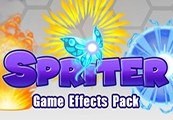
Spriter: Game Effects Pack
€0.61
€0.61
In stock
Number of keys
Delivered to your account, usually within minutes after payment is confirmed.
Card payment on a hosted page with 3-D Secure.
- Replacement or refund if a key doesn't work.
Before you buy
- Platform
- Activates on Steam. You need a Steam account and the Steam app.
- Region
- Global: no regional lockREGION FREE
- Languages
- English
- Delivery
- To your account, usually within minutes after payment is confirmed
Spriter: Game Effects Pack Steam CD Key Platform: Steam Release Date: 04/06/2015 Product Description Requires the base application /category/18454/spriter-pro-steam-cd-key/ on Steam in order to use. This art pack is loaded with over 105 professionally drawn and animated, ready to use impact effects, explosions, fireballs, puffs of smoke and dust, magic effects, lightning effects, bonus and pick-up effects, blood splatters and more.In Spriter you can easily customize the animations to suit your needs or the images in your own unique ways to create completely original animations. Buy this content once and it remains royalty free (non-transferable) for you to use in any of your games, whether they're free, shareware, or commercial.Export your finished animation either as Spriter xml or json formats, sequential images, GIF animations, or sprite sheets at any FPS, resizing as needed.Important note: Everyone who has purchased Spriter Pro automatically received free (reduced content) Essentials versions of all of our Art Packs, including the Essentials version of this Art Pack. Be sure to compare the content of the Essentials Art Pack you already own with the content shown in the preview linked. You can find your Essentials art packs in the following Steam installation folder location:/SteamApps/common/Spriter/Art Packs/Essentials System Requirements PC System Requirements Storage: 10 MB available space Mac System Requirements Storage: 10 MB available space Linux/SteamOS System Requirements Storage: 10 MB available space
Redeem on Steam
You need a Steam account and the Steam app.
- Step 1: Open Steam and sign in.
- Step 2: Open the Games menu, then choose Activate a Product on Steam…
- Step 3: Enter the key and follow the prompts.
- Step 4: The game appears in your Library.
Activation notes from the publisher
Go to: http://store.steampowered.com/ and download STEAM client Click "Install Steam" (from the upper right corner) Install and start application, login with your Account name and Password (create one if you don't have). Please follow these instructions to activate a new retail purchase on Steam: Launch Steam and log into your Steam account. Click the Games Menu. Choose Activate a Product on Steam... Follow the onscreen instructions to complete the process. After successful code verification go to the "MY GAMES" tab and start downloading.
- Platform
- Steam
- Region
- Global (listed as “REGION FREE”)
- Type
- Software licence
- Languages
- English
- Keyrook catalogue no.
- KR-EBC9144C5E
More for Steam
Close to this price.

Activates on Steam. Region: Global. Software licence.
RPG Maker: Tyler Warren First 50 Battler Pack
EN FR DE +3
€0.59
Activates on Steam. Region: Global. Software licence.
Axis Game Factory's AGFPRO - Drone Kombat FPS Multiplayer DLC
EN
€0.58