
Activates on Xbox. Region: Global. Software licence.
Gears Tactics
Xbox Game Studios
€33.05
€33.05
In stock
Number of keys
Delivered to your account, usually within minutes after payment is confirmed.
Card payment on a hosted page with 3-D Secure.
- Replacement or refund if a key doesn't work.
Before you buy
- Platform
- Activates on Xbox. You need a Microsoft account.
- Region
- Global: no regional lockREGION FREE
- Languages
- English, Chinese, French, German, Italian, Japanese, Korean, Portuguese, Portuguese (Brazil), Russian, Spanish
- Delivery
- To your account, usually within minutes after payment is confirmed
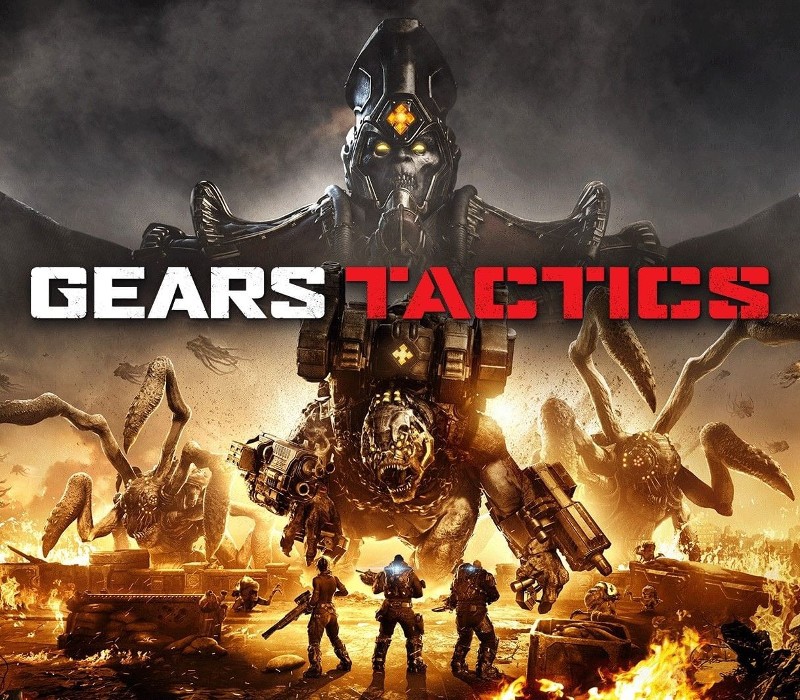
Survive the first invastion of the Locust Army in an innovative take on the hit Gears series. Lead a squad of stranded soldiers in the initial days of the war. Use your wits to fight against the overwhelming odds. Gears Tactics merges turn-based action with an intense combat experience and a gripping character-driven narrative. Lead on, commander! Features Rich and immersive story - You are Diaz, a reluctant hero who cares for his troops first, politics never. Your sheer will and charisma makes you the best person to lead the resistance. Customize your squad - Collect loot and get experience on the battlefield to develop skills of your soldiers and arm them with more efective gear. Huge bosses - New in turn-based games! Fight against gigantic boss monsters that require a completely new tactical approach. Action never stops - Just like other Gears of War games, Gears Tactics makes you push forward and aggresively fight for every inch of the battlefield.
Redeem on Xbox
You need a Microsoft account.
- Step 1: Go to redeem.microsoft.com and sign in with the account you play on, or on console open Microsoft Store and choose Redeem.
- Step 2: Enter the 25-character code.
- Step 3: Confirm.
Xbox codes have 25 characters.
Activation notes from the publisher
In order to use the key follow the instruction below: Go to https://www.xbox.com Login to your account Hover over your account link (the top right of the screen) a menu will appear, click on the "Redeem Code" button. On the next page, click "Redeem" Enter your code Click "Confirm" Click "Confirm" again to assign the key to your account. In order to download and install your game on Windows 10 follow the instructions below: Using your Microsoft account, sign in to the PC where you want to install your games. On the Start screen, select the Store icon. In the Store, select Games from the menu. Browse and select the game you want to install.
- Platform
- Xbox
- Region
- Global (listed as “REGION FREE”)
- Type
- Software licence
- Languages
- English, Chinese, French, German, Italian, Japanese, Korean, Portuguese, Portuguese (Brazil), Russian, Spanish
- Publisher
- Xbox Game Studios
- Keyrook catalogue no.
- KR-B7ACAA6E87
More for Xbox
Close to this price.
Activates on Xbox. Region: United States. Software licence.
Sea of Thieves: Anniversary Edition
EN
€34.80
Activates on Xbox. Region: United States. Software licence.
Like a Dragon: Infinite Wealth Ultimate Edition
EN AR BU +23
€31.25
Activates on Xbox. Region: United States. Software licence.
Sea of Thieves - Kraken Starter Bundle DLC
EN
€31.04